Finicast · B2B Financial Modeling
Self-Serve Formula Builder
Redesigning how financial analysts create formulas, moving from SQL dependency toward an expression layer that thinks the way analysts already do.
A product that required a translator
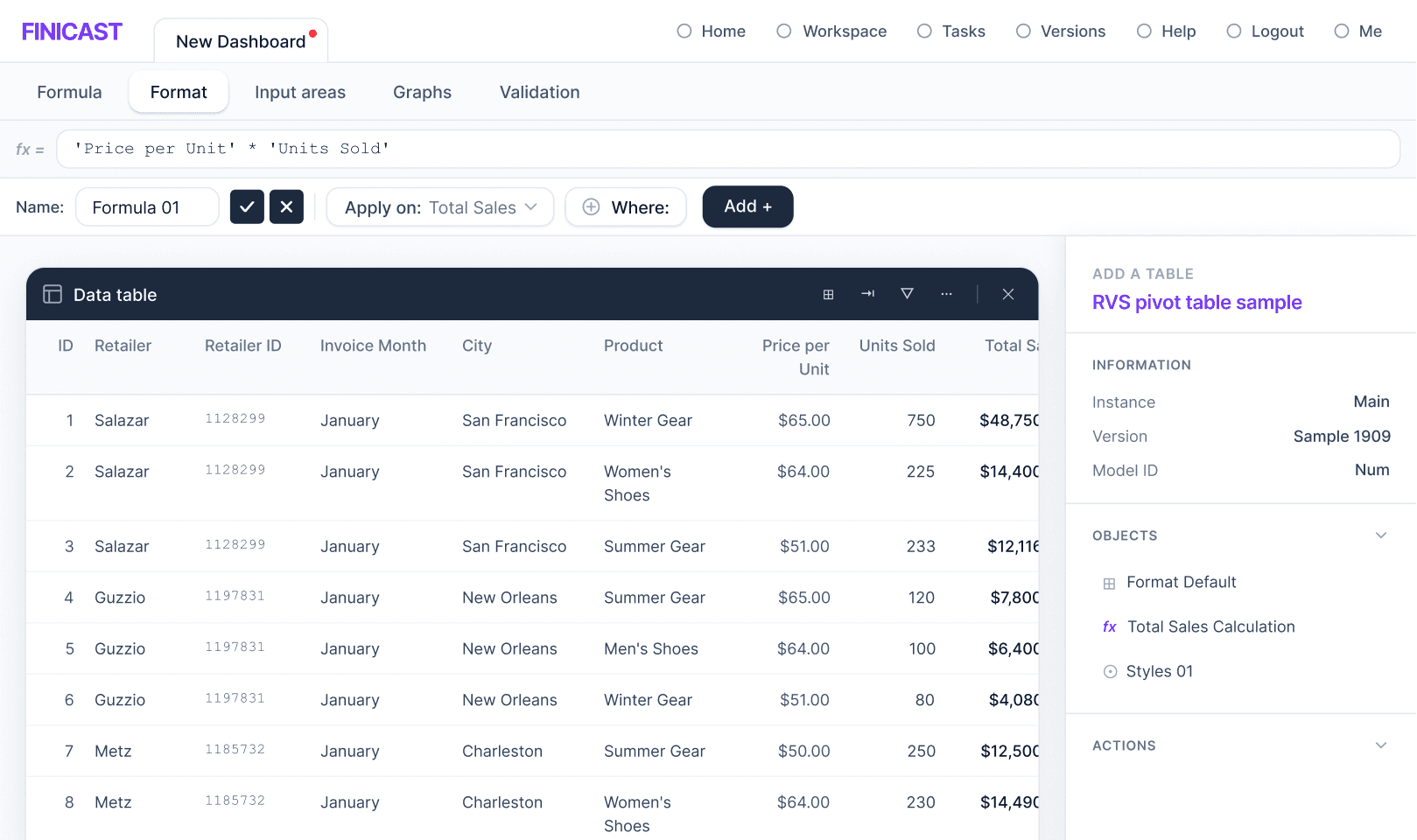
Finicast was built to give financial analysts powerful modeling capabilities. But there was a gap between what the product could do and what analysts could do independently: creating formulas required SQL-like syntax and precise dimension references that had nothing to do with how analysts actually thought about their data.
The result was a dependency chain. Every new client onboarding required Customer Success to build and maintain formulas on behalf of the analyst. A feature meant to empower had become a bottleneck wearing the mask of a product limitation.
"Formula creation was the main barrier to user autonomy. Analysts depended on Customer Success to set up formulas, which created an operational bottleneck and reduced the product's self-serve value."
Research with Customer Success, internal analysts, and onboarding sessions surfaced consistent friction patterns. The underlying cause wasn't complexity. It was a mismatch between the system's mental model and the user's.
Finding 01
Language mismatch
Analysts thought in arithmetic and Excel patterns. The system demanded SQL. Two different languages, no bridge.
Finding 02
Fragile referencing
Selecting the right rows, columns, and dimensions was error-prone. One wrong reference broke the formula silently.
Finding 03
Hidden complexity
Users lacked confidence about what they were building. Mistakes were frequent and hard to diagnose.
Finding 04
Performance risk
Editing a formula triggered expensive recomputation on large datasets. There was no safe way to experiment.
ThesystemthoughtinSQL.AnalyststhoughtinExcel.Neitherwaswrong.
The solution wasn't a single feature. It was a set of interlocking decisions that, together, shifted the product from requiring technical knowledge to rewarding domain knowledge.
Component 01
Excel-Aligned Expression Layer
Replaced SQL-style operations with arithmetic operators and readable tokens. Analysts could express intent using the same logic they used in spreadsheets. No mental translation required.
Component 02
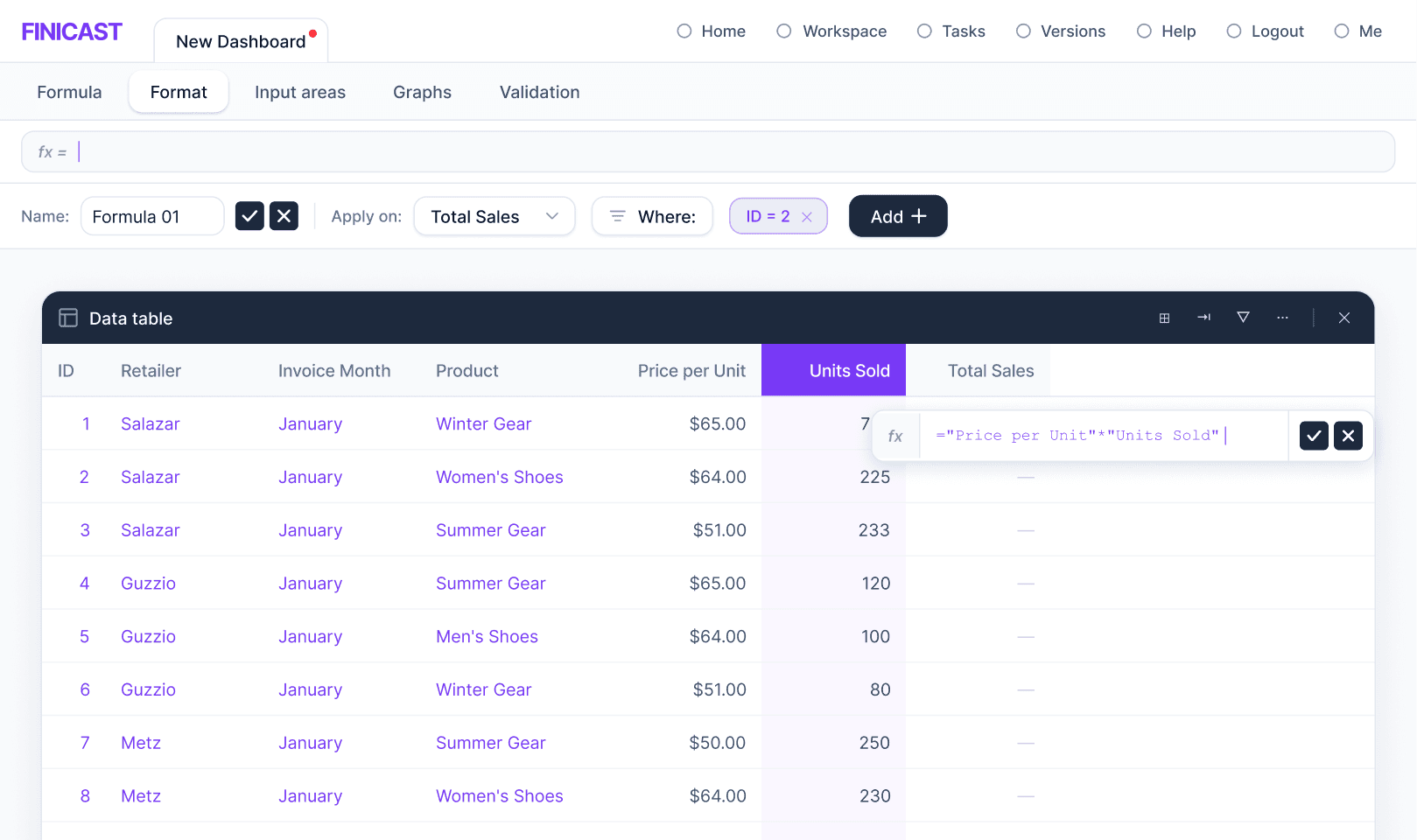
Autocomplete and Point-and-Click References
Users no longer needed to memorize field names or dimension paths. Typing triggered contextual suggestions; clicking on table cells inserted valid references. The interface became the documentation.
Component 03
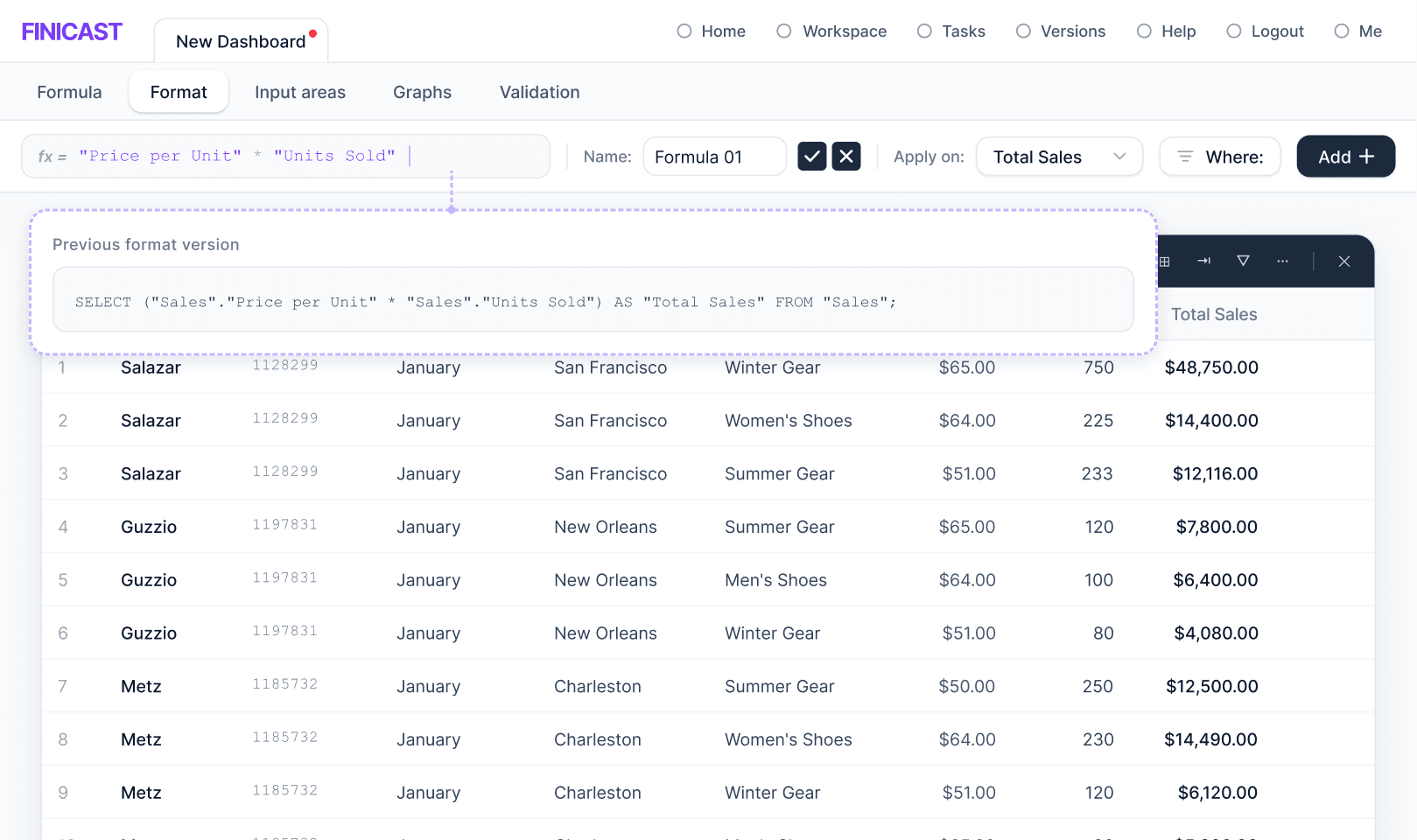
Explicit Apply / Cancel Guardrails
Formula edits were staged, not immediate. Analysts could review changes before triggering recomputation, separating the act of writing from the act of committing. This removed the fear of experimentation.
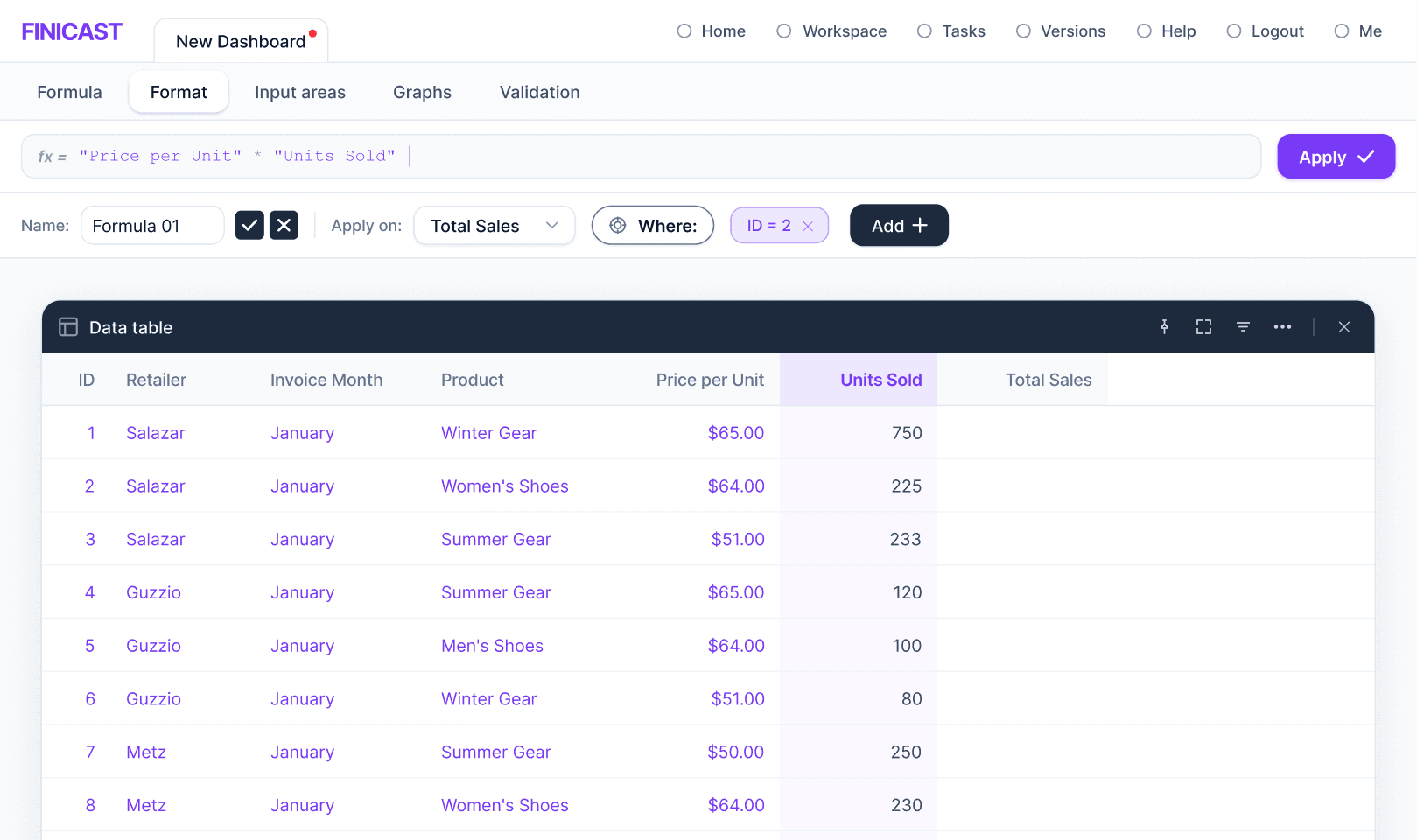
Component 04
Progressive Complexity via Scoped Conditions
The default path was intentionally lightweight. Advanced users could scope formulas by version (Actual vs. Budget), time period, or specific cells, adding precision only when needed.
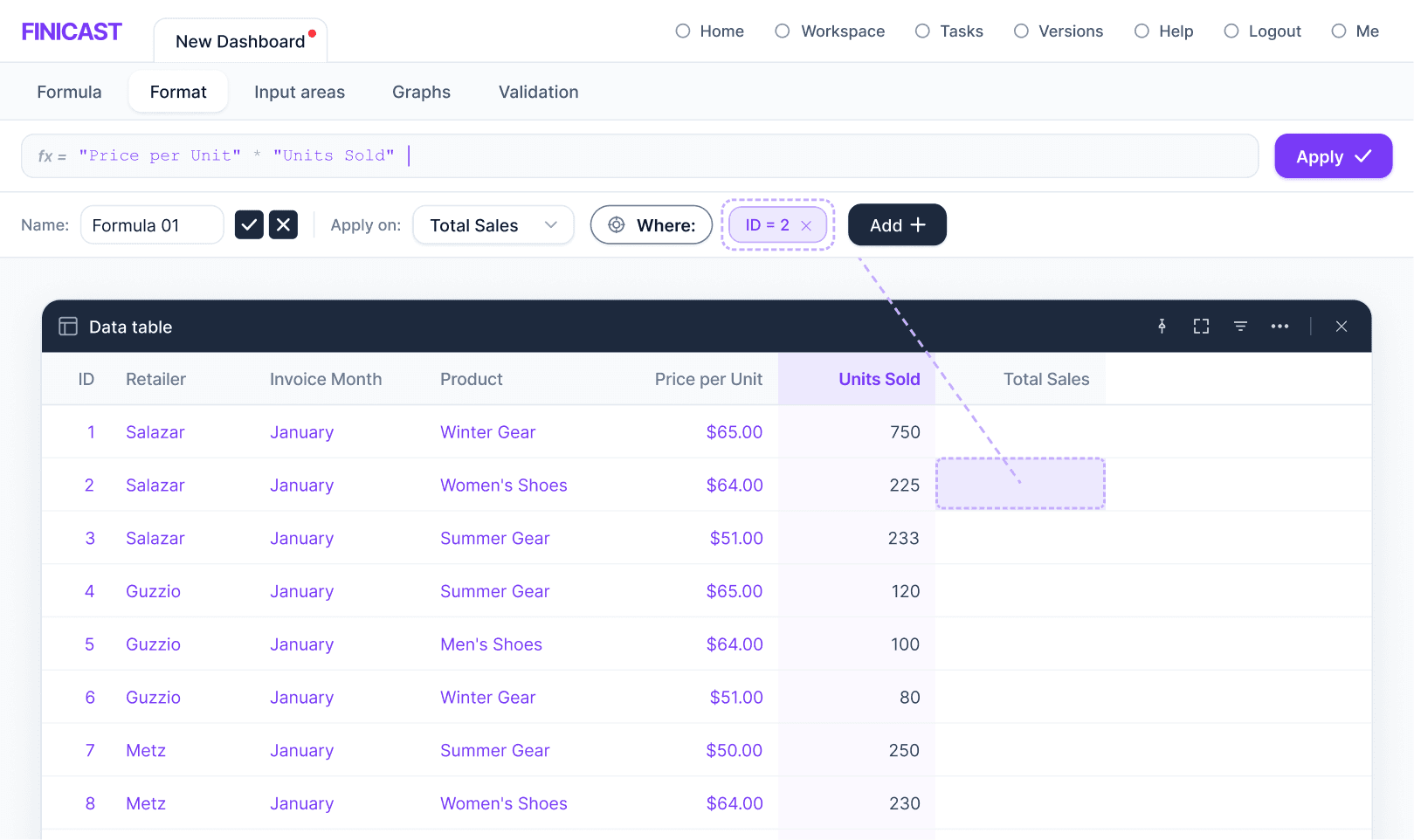
Component 05
Formulas as Named, Reusable Objects
Formulas became first-class objects with names, making them identifiable across multi-table workspaces. A formula created once could be referenced and maintained by someone other than its author.
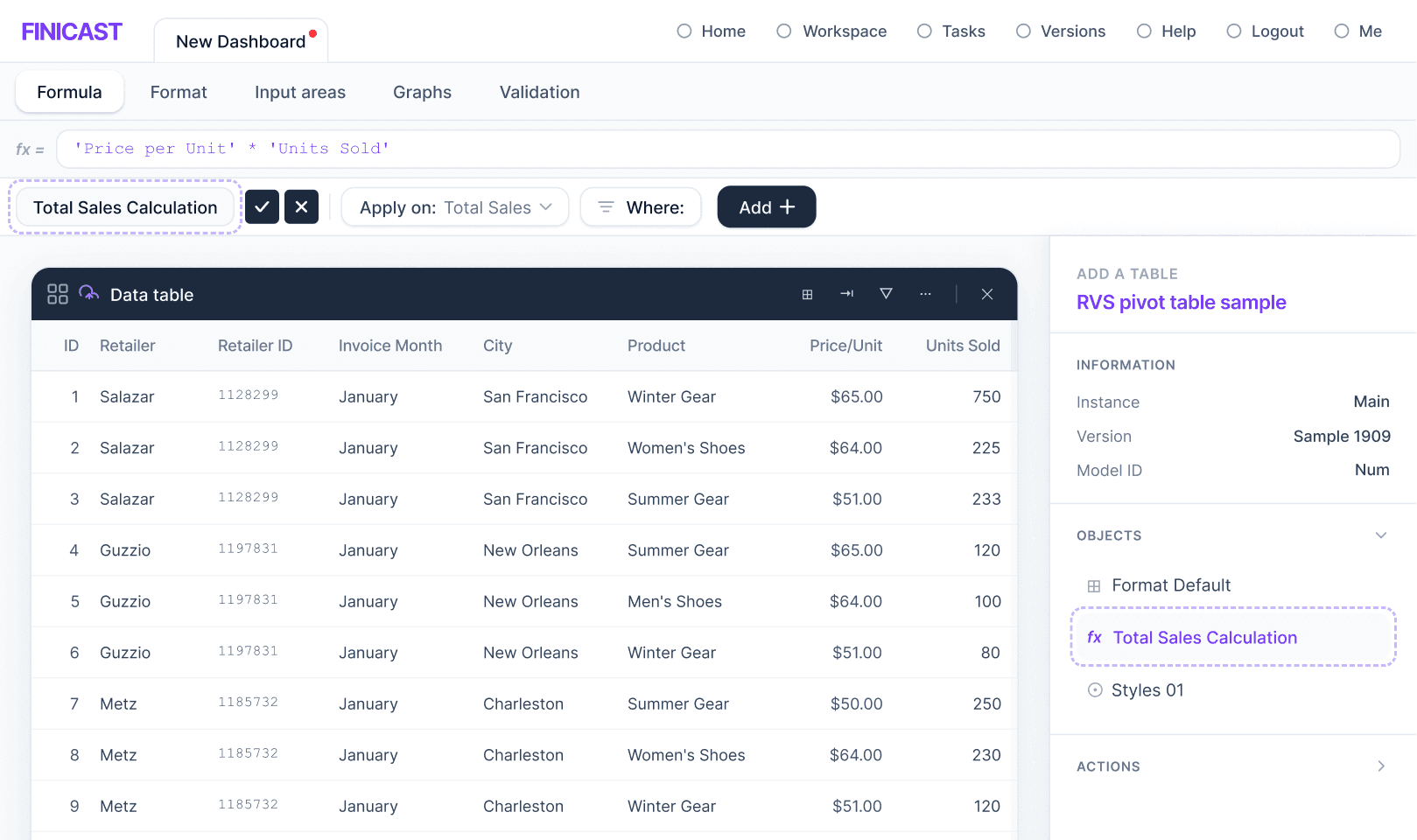
Key trade-off
The scoped conditions system had to be robust enough for real financial modeling while keeping the default path lightweight enough for first-time users. Too much power on the surface would have recreated the original complexity problem in a different form.
Faster activation. A shifted CS role.
reduction in first model implementation time, measured against the pre-launch baseline
Before
Customer Success builds and maintains formulas during and after onboarding. Analysts are blocked until CS availability.
After
Analysts create and adjust formulas independently. CS shifts from execution to enablement, coaching rather than building.
NPS scores improved alongside the implementation time reduction, reflecting a change not just in speed but in analyst confidence and autonomy. The product started working the way it was meant to.
Designer's note
The hardest part of this project wasn't the interface. It was convincing ourselves that the right solution was subtraction. The system already had the power. What it needed was a surface that matched how analysts thought, not how the SQL engine worked.
Working closely with Engineering on the SQL mapping made this possible. Design decisions that looked straightforward — like autocomplete — had non-trivial implications for how references were resolved under the hood. That collaboration prevented us from shipping a UI that looked right but performed unpredictably.